No new inbox
Every chat arrives in Slack, where your team already works all day. Nothing new to learn, no tab to keep open.
Live chat × Slack
Every message on your site drops straight into Slack — so your small team replies in seconds, from the app you already have open. No new inbox, no per-seat fees, no bloated help desk.
Free forever. Add a card only when you're ready to remove the badge.
Built for small teams and agencies who run on Slack. Works on all popular website platforms.
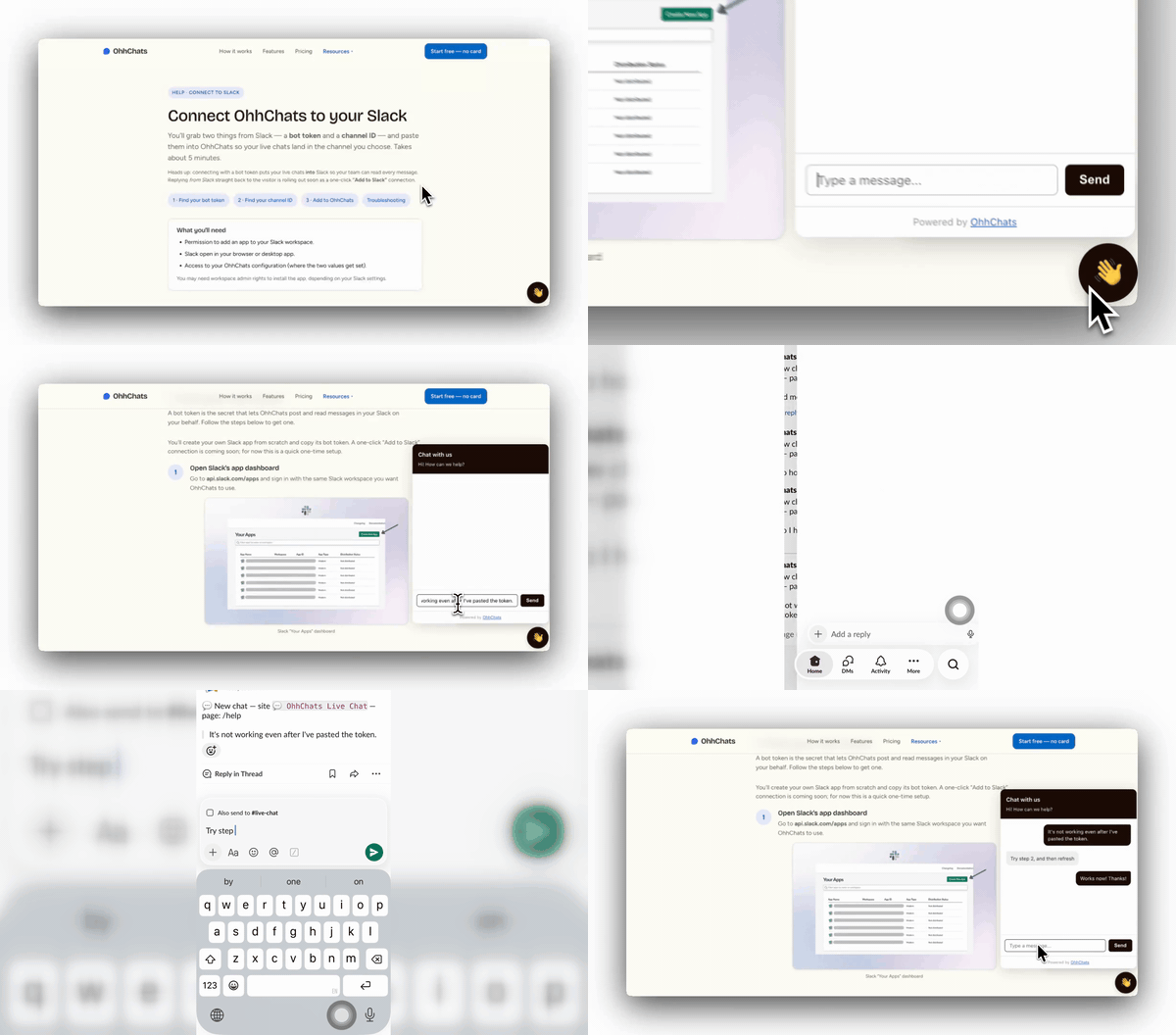
See the whole loop — visitor message in, your reply from Slack.
A separate inbox you forget to open. Per-seat pricing that punishes you for adding teammates. Setup that eats an afternoon. So the widget goes up… and the messages pile up unanswered.
OhhChats skips all of that. The conversation comes to where your team already is.
One click. Chats land in a channel you choose.
Match your brand, drop the snippet on any site. Live in minutes.
Reply in a thread and it appears in the visitor's chat. From your phone, your desk, anywhere.
Every chat arrives in Slack, where your team already works all day. Nothing new to learn, no tab to keep open.
Reply from the Slack app on your phone between meetings. Need a teammate to take over? @mention them in the thread — done.
Free forever on one site. $15/month flat to remove the badge — per site, not per seat. Quietly does its job in the corner of every page.
A friendly welcome bubble invites people to say hi, so chats start before they think to leave.
Set messages that appear when someone scrolls down a page you choose — like a nudge on pricing when they're clearly interested.
Offline? Visitors leave their email instead, and you reply the moment you're back. Nothing slips through.
Catch a visitor's question before they bounce — without paying Intercom prices.
Reply fast, look responsive, keep clients happy — all from Slack.
$0/forever
$15/month per site
No per-seat fees, ever. Add your whole team at no extra cost.
Weighing the options? Compare OhhChats to Chatlio, Social Intents & SignalZen.
Curious what you'd actually pay? See how much you'd save.
Coming from another tool? See why teams switch to OhhChats.
Yes — OhhChats connects to your existing Slack workspace in one click. Free Slack plans work fine.
No. The widget is lightweight and loads after your page, so it never blocks your content.
Yes. Chats land as Slack threads, so anyone in the channel can jump in or hand off with an @mention.
Nothing breaks — it's a soft cap. You'll just get a nudge to upgrade when you're consistently busy.
No. You copy one line and paste it into your site. If you can paste, you can install it.
Messages route securely through your own Slack workspace. Your Slack tokens are encrypted and never exposed in the browser.
"It works exactly as intended — super fun little tool."
Pick a colour, paste one line, done.