Release · June 16, 2026
Delete a live chat you no longer need — and stop paying for it
Tidying up just got easier — and it can save you money.
Maybe a client project wrapped up, you were testing an idea, or you simply have a widget you no longer use. Until now there was no clean way to get rid of it. Now there is: you can delete any live chat from your dashboard in a couple of clicks.
Delete it from your dashboard
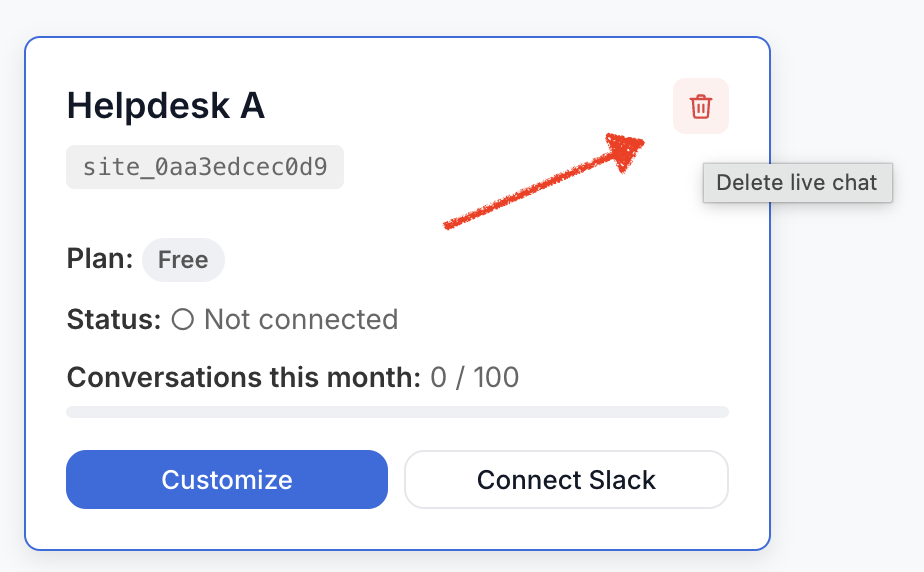
Each live chat now has a delete option. One click starts the process — and because deleting is permanent, we always ask you to confirm before anything happens. No accidental deletions from a stray click.
You're always shown what happens first
Before you delete, we spell it out clearly:
- It's permanent. Once deleted, the widget stops working on every site where it's installed, and it can't be recovered.
- If it's a Pro widget, the billing stops. Deleting a Pro live chat cancels its subscription automatically, so you won't be charged again for it. No emailing support, no leftover charges for something you've removed.
You'll see a clear Cancel and Delete choice, so nothing happens until you say so.
Save your chat history first
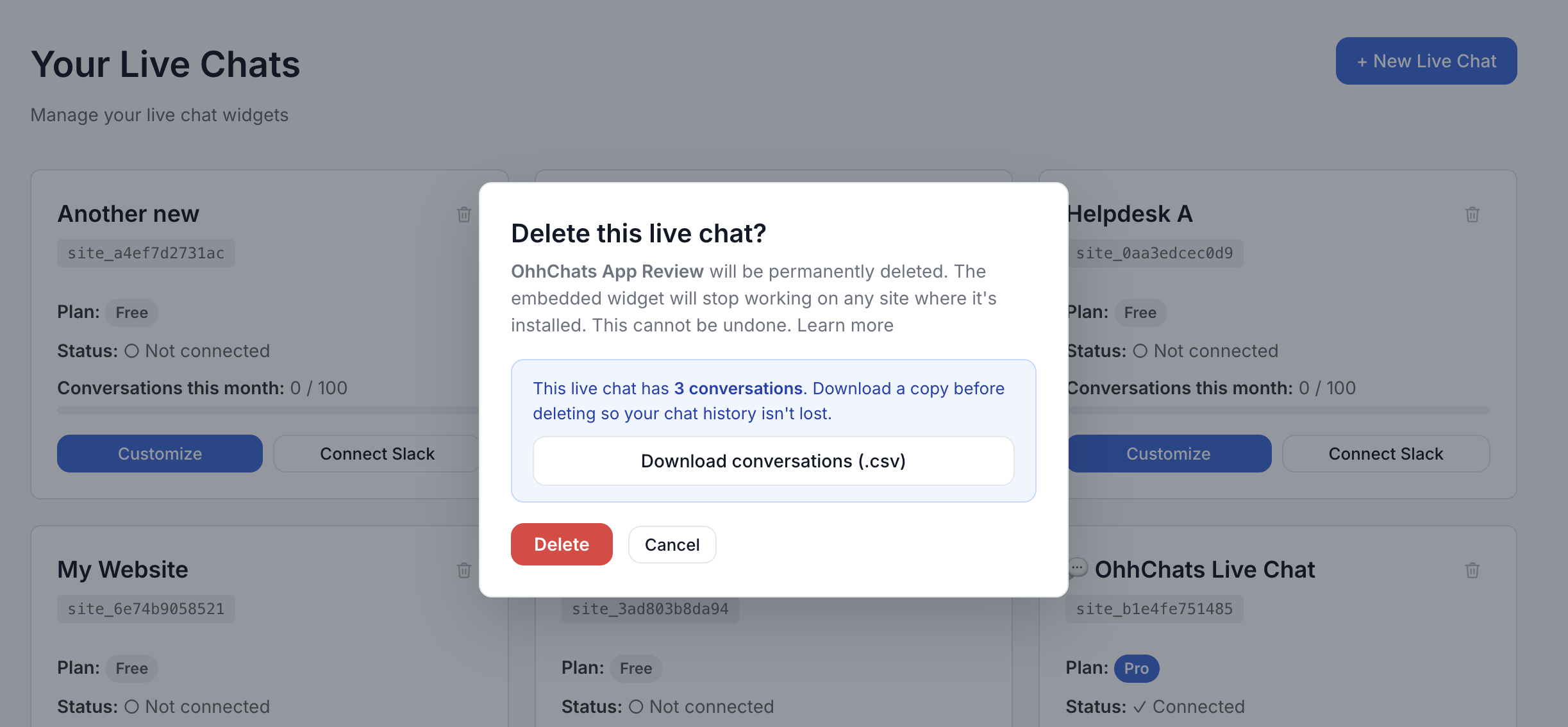
Because deleting is permanent, you can take your conversations with you before they're gone. If the live chat has any chat history, the confirmation window offers a Download conversations (.csv) button. One click saves every message — who said what, and when — as a spreadsheet file you can open in Excel, Google Sheets, or Numbers and keep for your records.
No history to save? The option simply doesn't appear — nothing extra to think about.
Done in seconds
Confirm, and the live chat disappears from your dashboard right away, your live chat count updates, and you get a quick confirmation that it's done. Clean dashboard, no surprise charges, full control over what you're running.
Already using OhhChats?
This is available now on every plan — there's nothing to turn on. Just open your dashboard and you'll see the delete option on each of your live chats.