Release · June 19, 2026
Better Slack replies, file attachments, and a live test page
A batch of improvements to the core of OhhChats: getting conversations between Slack and your website visitors working smoothly, plus an easier way to get set up.
Replies now always reach your visitor. Previously, if your reply contained an emoji or a link, it could silently fail to deliver to the website widget. That's fixed. Every reply you send from Slack now makes it through.
Emoji show up properly. Emoji in your replies now display as real emoji in the chat, instead of appearing as raw text like ":smile:".
Links are now clickable. When you paste a link into a reply, your visitor can now tap it directly in the chat rather than copying and pasting it.
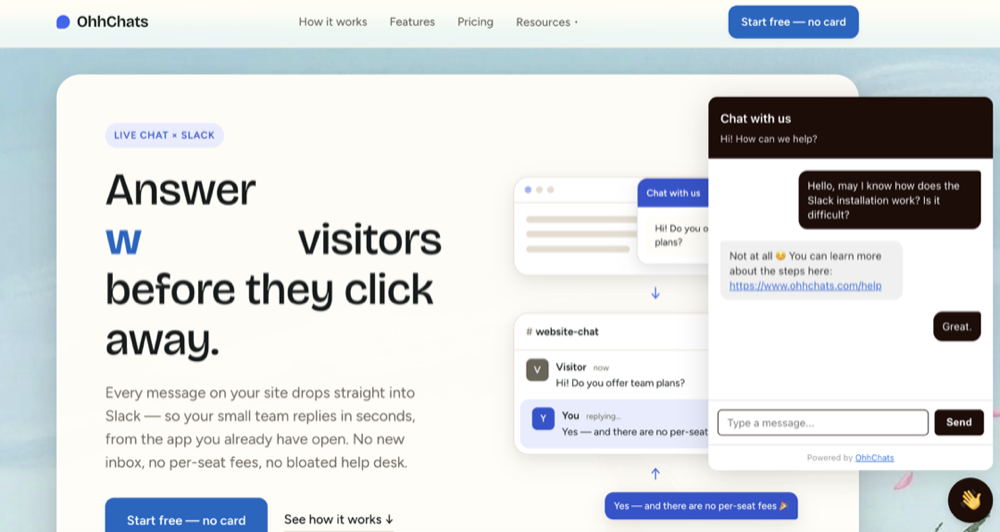
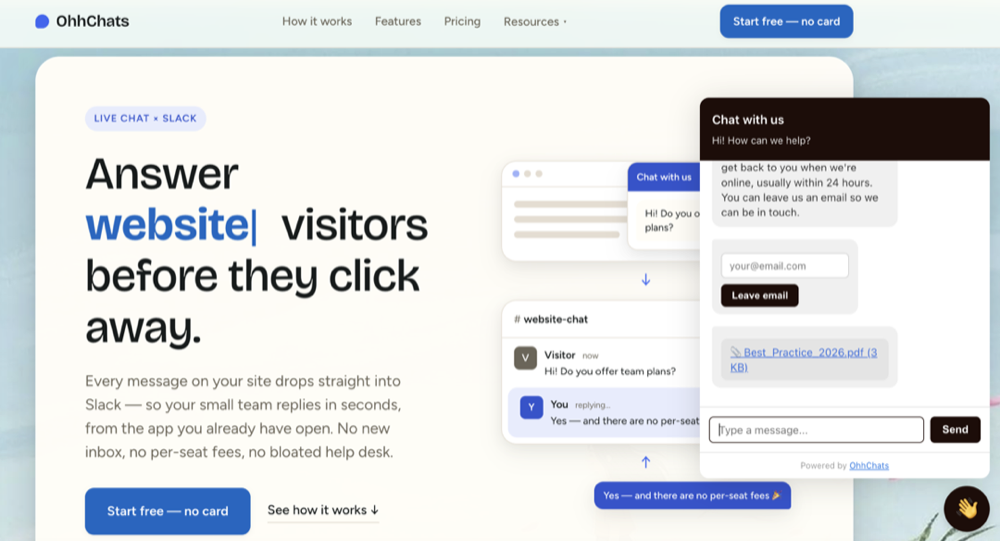
Send images and files from Slack. When you attach an image or file to your reply in Slack, it now shows up right inside the visitor's chat widget. Great for sharing a screenshot, a price list, or a how-to. One quick step: to turn this on, reconnect your Slack workspace from your settings. It takes a few seconds and grants OhhChats the new permission needed to pass attachments through.
Test the widget before you go live. New customers can now click "Test it live" on the Installation step to open a hosted test page with the widget already running. Send a message, watch it land in your Slack, and get the reply back, all without touching your real website. It proves the whole setup works end to end, and you can even share the link with a teammate. No more guessing — you can be completely certain everything works before it ever goes live on your website.
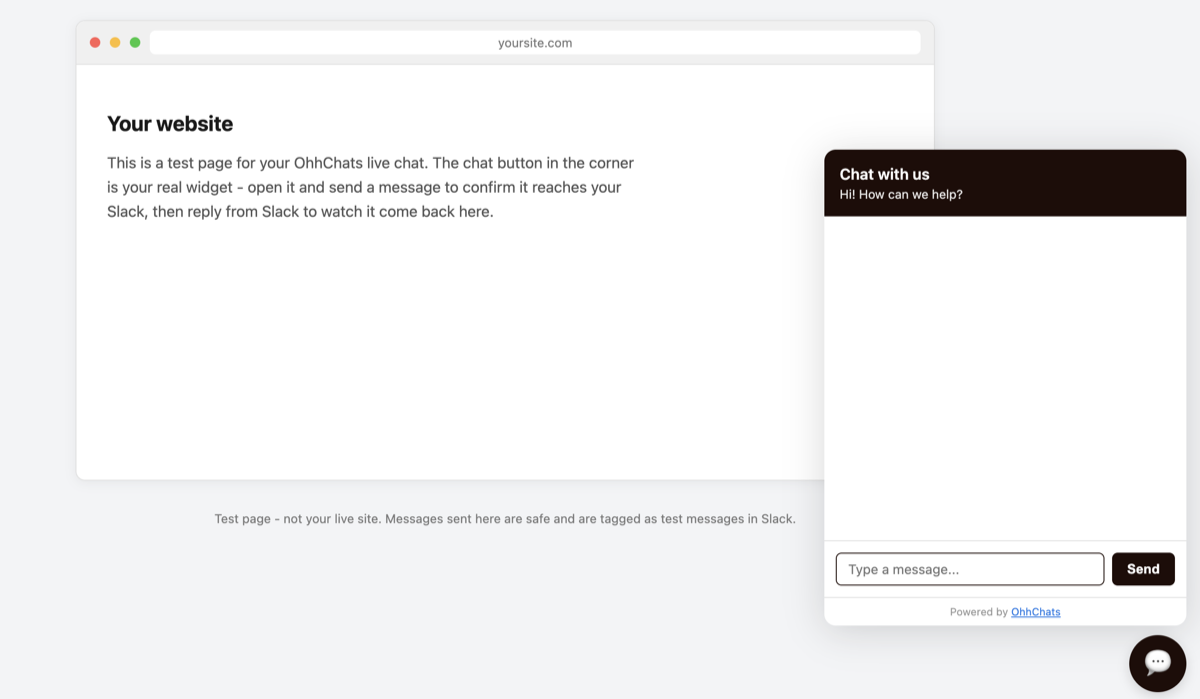
Nothing for you to do on the existing features, they're live now for every connected workspace. The test page is right there on your Installation step whenever you want it.